
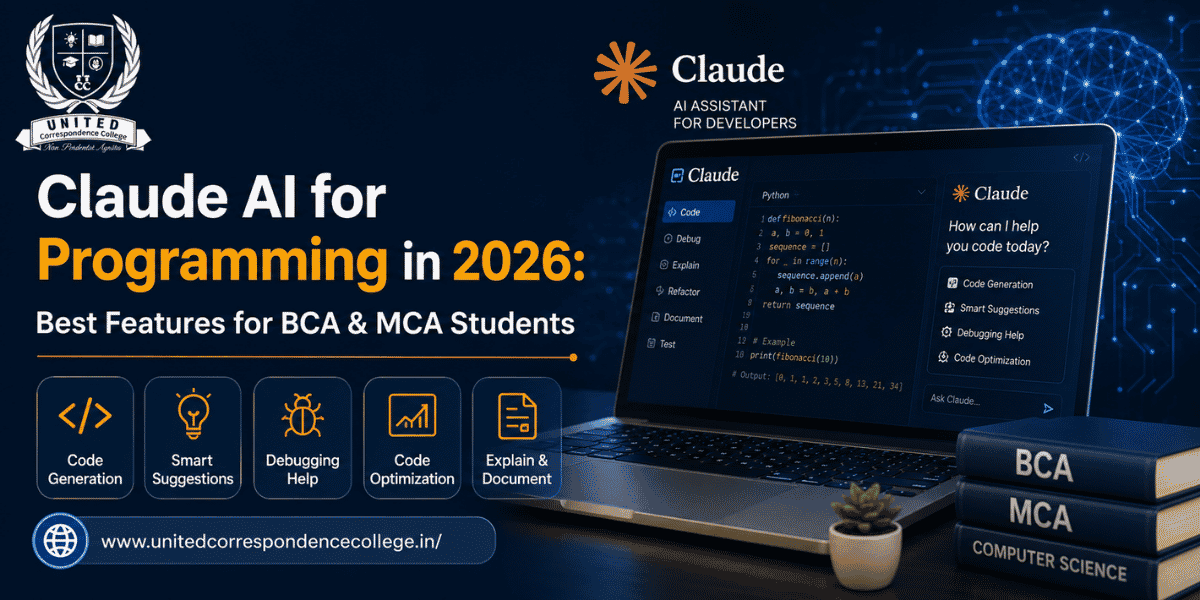
Claude AI for Programming is rapidly becoming one of the most valuable AI tools for students pursuing careers in software development. From writing clean code and debugging complex programs to explaining algorithms and generating project ideas, Claude AI for Programming helps learners improve their coding skills faster than traditional learning methods. Whether you’re learning Python, Java, C++, SQL, or web development, this intelligent assistant acts like a personal coding mentor. As Artificial Intelligence continues transforming the technology industry in 2026, mastering Claude AI for Programming can give BCA and MCA students a competitive advantage in academics, internships, and future software engineering careers.
Programming today is no longer limited to memorizing syntax or solving coding problems manually. Modern developers increasingly use AI-powered assistants to improve productivity, understand difficult concepts, and write cleaner, more efficient code. Claude AI has emerged as one of the leading AI coding assistants because of its ability to understand long conversations, analyze complete codebases, explain programming logic, and assist with debugging.
Unlike traditional search engines that provide multiple links, Claude AI delivers detailed explanations, suggests optimized solutions, and helps students understand why a particular coding approach works. Instead of simply generating code, it encourages logical thinking by explaining concepts step by step.
Whether you’re preparing for university assignments, building final-year projects, or practicing coding interviews, learning how to use Claude AI for Programming effectively can significantly improve your technical confidence.
What is Claude AI?
Claude AI is an advanced conversational Artificial Intelligence assistant developed by Anthropic. It is designed to understand natural language, solve problems, analyze documents, generate high-quality content, and assist with technical tasks such as programming, debugging, and software documentation.
Unlike many conventional AI chatbots, Claude AI excels at maintaining context throughout long conversations. This makes it especially useful for programmers working on large coding projects where multiple files, functions, and logical relationships need to be understood together.
For programming students, Claude AI can function as:
- A coding tutor
- A debugging assistant
- A documentation writer
- A project planner
- A technical mentor
- A code reviewer
- A learning companion
Instead of replacing learning, Claude AI helps students understand programming concepts more effectively by explaining errors, suggesting improvements, and encouraging better coding practices.
Why Programming Students Should Learn Claude AI in 2026?
Artificial Intelligence is changing software development across every industry. Companies are increasingly adopting AI-assisted coding tools to improve productivity, automate repetitive tasks, and reduce development time. As a result, graduates entering the IT industry are expected to understand how to work alongside AI rather than compete with it.
Learning Claude AI for Programming offers several advantages:
Faster Learning
Students can understand programming concepts more quickly by asking Claude AI to explain difficult topics in simple language with practical examples.
Better Code Quality
Claude AI helps write cleaner and more readable code by suggesting best practices, removing unnecessary complexity, and improving logical flow.
Improved Debugging Skills
Instead of spending hours searching for errors, students can ask Claude AI to identify bugs, explain why they occur, and recommend solutions.
Stronger Project Development
From planning software architecture to generating documentation, Claude AI supports every stage of software development.
Interview Preparation
Claude AI can generate:
- Coding challenges
- Technical interview questions
- System design problems
- Programming quizzes
- Mock interview scenarios
This helps students prepare confidently for campus placements and internships.
Industry Readiness
Employers increasingly value candidates who understand AI-assisted software development. Learning Claude AI for Programming before graduation prepares students for modern software engineering workflows used in leading technology companies.
Students pursuing BCA distance education can combine academic learning with AI-powered programming practice, allowing them to strengthen coding skills while studying at their own pace.
How Claude AI Helps Programming Students?
| Student Activity | How Claude AI Helps |
| Learning Programming | Explains concepts step by step |
| Debugging Code | Identifies errors and suggests fixes |
| Writing Assignments | Generates structured documentation |
| Mini Projects | Creates project ideas and architecture |
| Coding Interviews | Generates practice questions |
| Revision | Summarizes programming concepts quickly |
Benefits of Claude AI for Programming Students
1. Learn Programming Faster
Programming can be overwhelming for beginners because every language has different syntax, logic, and rules. Claude AI simplifies learning by breaking difficult topics into small, understandable sections.
Students can ask questions like:
- Explain recursion simply.
- What is object-oriented programming?
- How does binary search work?
- Explain linked lists with examples.
Instead of receiving overly technical explanations, Claude AI adjusts its responses according to the student’s learning level.
2. Write Cleaner Code
One of the biggest challenges for beginners is writing code that is readable and maintainable.
Claude AI suggests improvements such as:
- Better variable names
- Proper indentation
- Modular functions
- Efficient loops
- Cleaner logic
- Industry-standard formatting
Learning these best practices early helps students become better developers.
3. Build Logical Thinking
Programming is more about solving problems than memorizing syntax.
Claude AI encourages logical thinking by:
- Explaining algorithms step by step
- Comparing different solutions
- Showing optimization techniques
- Explaining time complexity
- Teaching debugging strategies
This develops problem-solving skills that remain valuable throughout a software engineering career.
4. Save Time During Assignments
Students often spend several hours researching solutions for programming assignments.
Claude AI speeds up this process by helping with:
- Understanding questions
- Planning solutions
- Explaining concepts
- Improving documentation
- Testing logic
Rather than completing assignments for students, it guides them toward better solutions.
5. Learn Multiple Programming Languages
Another major advantage of Claude AI for Programming is its ability to support numerous programming languages within the same conversation.
Students can practice:
- Python
- Java
- C
- C++
- JavaScript
- SQL
- HTML
- CSS
without switching between different learning platforms.
This flexibility makes Claude AI an excellent study companion for beginners as well as advanced programming students.
By combining AI-assisted learning with consistent coding practice, students can accelerate their technical growth while preparing for the rapidly evolving software industry.
Claude AI Tool
The Claude AI Tool has become one of the most powerful programming assistants available in 2026. Unlike traditional code editors or search engines, Claude AI not only generates code but also explains programming logic, identifies mistakes, optimizes performance, and helps students understand why a particular solution works. This makes learning far more interactive and effective.
Whether you’re developing a simple calculator application or a full-stack web project, Claude AI for Programming supports every stage of software development. Students can use it to learn new concepts, debug existing programs, write technical documentation, and prepare for coding interviews.
One of the biggest advantages of the Claude AI Tool is its conversational approach. Instead of searching multiple websites for answers, students can ask follow-up questions until they completely understand a topic.
Professionals and students pursuing MCA distance education in bangalore can especially benefit from Claude AI because advanced software engineering subjects often require detailed explanations and structured project guidance.
Best Features of Claude AI for Programming
1. Intelligent Code Generation
One of the most useful capabilities of Claude AI for Programming is generating clean, readable, and well-structured code.
Students simply describe what they want to build.
Examples:
- Student Management System
- Banking Application
- Weather App
- Calculator
- Login System
- Inventory Management
Claude AI generates the initial structure while explaining each component.
Instead of blindly copying code, students can understand:
- Variables
- Functions
- Classes
- Loops
- Objects
- APIs
- Data Structures
This significantly improves programming knowledge.
2. Advanced Debugging Support
Debugging is one of the hardest skills for beginners.
Claude AI helps by:
- Finding syntax errors
- Explaining runtime errors
- Identifying logical mistakes
- Suggesting optimized solutions
- Explaining compiler messages
Instead of simply correcting mistakes, Claude AI explains why the error occurred and how to avoid it in future projects.
This develops long-term programming confidence.
3. Step-by-Step Code Explanation
Many students copy code from the internet without understanding it.
Claude AI changes this completely.
Students can paste existing code and ask:
Explain this code line by line.
Claude AI breaks the program into understandable sections.
It explains:
- Variables
- Conditions
- Loops
- Functions
- Objects
- Libraries
- Outputs
This makes programming much easier for beginners.
4. Code Optimization
Writing code that works is only the beginning.
Professional developers focus on writing code that is:
- Faster
- Cleaner
- More readable
- Easier to maintain
Claude AI helps students improve code quality by recommending:
- Better algorithms
- Smaller functions
- Cleaner variable names
- Reduced repetition
- Better file organization
These practices prepare students for real software development environments.
5. Documentation Generation
Documentation is often ignored by students, yet it is essential in software development.
Claude AI can automatically generate:
- Function documentation
- Project documentation
- README files
- API documentation
- Technical reports
- Installation guides
Good documentation improves teamwork and makes projects easier to maintain.
Students studying at an IT correspondence college in bangalore can use this feature to prepare professional-quality academic projects while developing skills valued by employers.
6. SQL Query Assistance
Database management is an important part of both BCA and MCA programs.
Claude AI assists students by generating:
- SELECT queries
- INSERT statements
- UPDATE queries
- DELETE operations
- JOIN operations
- Stored procedures
- Database normalization examples
It also explains why each query works, making SQL easier to understand.
7. API Development Support
Modern software applications communicate through APIs.
Claude AI helps students understand:
- REST APIs
- HTTP methods
- JSON
- Authentication
- API testing
- Backend integration
Students can build better web applications while learning industry-standard practices.
Programming Languages Supported by Claude AI
One of the greatest strengths of Claude AI for Programming is its support for multiple programming languages.
Popular languages include:
Python
Ideal for:
- Artificial Intelligence
- Machine Learning
- Data Science
- Automation
- Web Development
Claude AI explains Python concepts clearly, making it an excellent choice for beginners.
Java
Students can learn:
- OOP concepts
- Collections
- Multithreading
- JDBC
- Spring Boot basics
Java remains one of the most demanded programming languages for enterprise software development.
C Programming
Claude AI assists with:
- Functions
- Arrays
- Pointers
- Memory allocation
- File handling
This is especially useful for first-year programming students.
C++
Students receive help with:
- Classes
- Inheritance
- Polymorphism
- Templates
- STL
- Competitive programming
JavaScript
Claude AI supports:
- DOM manipulation
- ES6 concepts
- Async programming
- Fetch API
- React fundamentals
This helps students interested in front-end development.
SQL
Students learn:
- Database creation
- Complex joins
- Indexing
- Query optimization
- Transactions
HTML & CSS
Claude AI helps beginners create:
- Responsive websites
- Forms
- Navigation bars
- Landing pages
- Portfolio websites
It also explains modern CSS layouts such as Flexbox and Grid.
Why BCA & MCA Students Should Practice with Claude AI Daily?
Programming is a practical skill that improves through consistent practice.
Students should use Claude AI for Programming every day to:
- Solve one coding problem
- Learn one new programming concept
- Build one mini feature
- Review one algorithm
- Practice one interview question
This daily habit gradually builds technical confidence and problem-solving ability.
Students enrolled in IT distance education programs can especially benefit from AI-assisted learning because it provides flexible, on-demand guidance that complements self-paced study. By combining regular practice with Claude AI, learners can strengthen coding skills, complete projects more efficiently, and stay aligned with current industry expectations.
Claude AI Chatbot
The Claude AI Chatbot is more than a simple conversational assistant—it is a powerful programming companion designed to help students learn, code, debug, and solve technical problems. Unlike traditional chatbots that provide short or generic responses, Claude AI understands programming logic, maintains context during long discussions, and explains concepts in a structured manner.
For BCA and MCA students, the Claude AI Chatbot acts like a virtual programming mentor available 24/7. Whether you’re learning your first programming language or working on an advanced software project, it provides detailed explanations instead of just giving answers.
Students can use the chatbot to:
- Learn programming concepts
- Debug code efficiently
- Understand algorithms
- Build mini projects
- Generate SQL queries
- Practice coding interviews
- Write technical documentation
- Explore new programming frameworks
Unlike many AI tools that simply generate code, Claude AI encourages learning by explaining every step, making it an ideal companion for students preparing for software development careers.
Claude AI vs ChatGPT for Programming
Both Claude AI and ChatGPT are among the most popular AI coding assistants in 2026. While they share several capabilities, each platform has unique strengths that make it suitable for different programming tasks.
Code Understanding
Claude AI excels at understanding long and complex code files. Students can paste large sections of code, and Claude AI will explain how different components interact with one another.
ChatGPT also provides accurate code explanations but is generally preferred for quicker coding questions and creative brainstorming.
Debugging
One of the strongest features of Claude AI for Programming is debugging assistance.
Claude AI can:
- Detect syntax errors
- Explain logical mistakes
- Suggest optimized solutions
- Recommend best coding practices
Rather than simply fixing bugs, it teaches students why those errors occur.
Learning Support
Programming isn’t just about writing code—it’s about understanding concepts.
Claude AI explains:
- Data Structures
- Algorithms
- Object-Oriented Programming
- Database concepts
- Operating Systems
- Networking fundamentals
This makes it highly valuable for university students.
Documentation
Professional software development requires detailed documentation.
Claude AI assists with:
- README files
- Function documentation
- API documentation
- Technical reports
- Software architecture explanations
Students working on academic projects can produce professional-quality documentation with minimal effort.
Project Planning
Large software projects require proper planning before coding begins.
Claude AI helps students create:
- System architecture
- Database design
- Feature roadmap
- Module breakdown
- Development timeline
This structured approach improves software quality while teaching professional development practices.
Students pursuing bca distance education in bangalore can especially benefit from AI-assisted project planning, enabling them to manage coursework and software development projects more effectively alongside other commitments.
Claude AI vs ChatGPT for Programming
| Feature | Claude AI | ChatGPT |
| Long Code Analysis | Excellent | Very Good |
| Debugging | Excellent | Excellent |
| Code Explanation | Excellent | Excellent |
| Documentation | Excellent | Very Good |
| Programming Learning | Excellent | Very Good |
| Project Planning | Excellent | Good |
| Context Retention | Excellent | Very Good |
| Beginner Friendly | Excellent | Excellent |
Both tools are excellent choices, but many programming students prefer Claude AI for handling larger coding projects and maintaining detailed conversations throughout development.
Best Claude AI Prompts for Programming Students
The quality of AI responses depends greatly on the prompts provided. Writing detailed prompts helps Claude AI generate more accurate and educational responses.
Here are some practical prompts every programming student should save:
Python
Explain this Python code line by line and suggest performance improvements.
Java
Create a Java Student Management System using Object-Oriented Programming principles.
SQL
Optimize this SQL query and explain why your version performs better.
Web Development
Build a responsive login page using HTML, CSS, and JavaScript with proper validation.
Debugging
Identify all errors in this C++ program and explain each correction with examples.
Interview Preparation
Ask me ten Java interview questions suitable for freshers and evaluate my answers.
Mini Projects
Suggest five beginner-friendly programming projects using Python and MySQL.
Algorithms
Explain Binary Search with time complexity, pseudocode, and a real-world example.
Using prompts like these transforms Claude AI for Programming into a highly effective learning assistant rather than just a code generator.
Claude AI Pricing
One reason behind Claude AI’s growing popularity among students is its flexible pricing structure. Beginners can start using the platform without paying, while advanced users can upgrade for additional features and higher usage limits.
Free Plan
The free version provides access to essential features such as:
- Code explanations
- Debugging assistance
- Assignment support
- Programming discussions
- Basic project guidance
- Documentation help
This plan is sufficient for many students beginning their programming journey.
Claude Pro
The Pro subscription is designed for users who require:
- Higher message limits
- Faster response times
- Priority access during busy periods
- Access to more advanced Claude models
Students working on multiple academic projects or preparing for placements may find this plan worthwhile.
Claude Max
For users with intensive programming or research needs, Claude Max offers:
- Significantly increased usage limits
- Enhanced access to advanced AI capabilities
- Improved performance for complex coding workflows
This option is ideal for developers, researchers, and professionals handling large-scale technical projects.
Claude AI’s plans, pricing, and available features may change over time. Always refer to the official Anthropic website for the latest subscription details before making a purchase.
Why Every Programming Student Should Learn AI-Assisted Coding?
Artificial Intelligence is no longer replacing programmers—it is empowering them. Modern software companies expect developers to understand AI-assisted workflows, automate repetitive tasks, and collaborate with intelligent coding tools.
Students pursuing distance education in bangalore can use Claude AI for Programming to complement classroom learning, improve coding efficiency, and build stronger project portfolios. By mastering AI-assisted development today, graduates position themselves for better internships, higher-paying software roles, and long-term career growth in the evolving technology industry.
Claude AI Course
Learning Claude AI for Programming requires a combination of programming fundamentals, prompt engineering, and hands-on project development. While Claude AI itself is an AI assistant rather than a traditional course, students can combine it with programming certifications and online learning platforms to build industry-ready skills.
A structured learning roadmap includes:
- Python Programming
- C and C++
- Java Programming
- SQL & Database Management
- Data Structures & Algorithms
- Web Development (HTML, CSS, JavaScript)
- Git & GitHub
- API Development
- Artificial Intelligence Fundamentals
- Prompt Engineering
Students should also complete coding challenges on platforms like LeetCode, HackerRank, and CodeChef while using Claude AI to understand solutions and optimize code. This combination helps learners build confidence and prepare for software development roles.
Mini Projects You Can Build with Claude AI
One of the biggest advantages of Claude AI for Programming is that it helps students move beyond theory by creating practical projects. These projects strengthen coding skills while building an impressive portfolio for internships and placements.
Some beginner-to-intermediate project ideas include:
- Student Management System
- Library Management System
- Online Quiz Application
- Weather Forecast App
- Expense Tracker
- To-Do List Application
- Chat Application
- Attendance Management System
- Hospital Management System
- Portfolio Website
Claude AI can guide students through project planning, database design, coding, debugging, and documentation, making the learning process much more structured.
Career Opportunities After Learning Claude AI for Programming
Artificial Intelligence is changing the software industry, but skilled programmers remain essential. Students who know how to combine coding knowledge with AI-assisted development will have a significant advantage in the job market.
Popular career opportunities include:
- Software Developer
- Python Developer
- Java Developer
- Full Stack Developer
- Backend Developer
- Frontend Developer
- AI Engineer
- Machine Learning Engineer
- Cloud Engineer
- DevOps Engineer
- Data Engineer
- Mobile App Developer
By mastering Claude AI for Programming, students improve their coding efficiency, problem-solving skills, and software development practices, making them more attractive to recruiters.
Future Scope of Claude AI for Programming
The future of Claude AI for Programming is extremely promising. AI-powered coding assistants are becoming a standard part of software development, helping developers write cleaner code, automate repetitive tasks, and accelerate application development.
Emerging trends include:
- AI-assisted software engineering
- Intelligent code reviews
- Automated testing
- AI-powered debugging
- Low-code and no-code development
- Agentic AI for software creation
- Smart code documentation
- Collaborative AI programming
Companies worldwide are investing heavily in AI-enabled development environments. Future software engineers will be expected to work alongside AI tools while applying strong programming fundamentals and critical thinking. Students who learn these skills early will be better prepared for evolving technology careers.
Conclusion
Artificial Intelligence is transforming how software is developed, and Claude AI for Programming is one of the most valuable tools students can learn in 2026. From generating code and debugging applications to explaining algorithms and improving documentation, Claude AI helps students become more productive and confident programmers.
However, AI should be viewed as a learning companion rather than a replacement for programming knowledge. Students who combine consistent coding practice with AI-assisted learning will develop stronger technical skills, improve problem-solving abilities, and prepare themselves for successful careers in software development.
Whether you are a beginner learning Python or an advanced student building enterprise applications, mastering Claude AI for Programming will help you stay competitive in today’s rapidly evolving technology landscape.
Start Your Tech Career with UCC
Build a successful IT career with UCC (United Correspondence College) through flexible programs like BCA distance education, MCA distance education in bangalore, IT correspondence college in bangalore, and IT distance education. Combine your academic learning with Claude AI for Programming to develop practical coding skills, build real-world projects, and prepare for careers in software development, AI, cloud computing, and emerging technologies.
Enroll with UCC today and combine quality education with AI-powered programming skills to build a successful technology career.
FAQs
1. What is Claude AI for Programming?
Claude AI for Programming is an advanced AI-powered coding assistant designed to help students and developers improve their programming skills more efficiently. It can generate code, identify and fix errors, explain programming concepts in simple language, optimize algorithms, and even create technical documentation for projects. Unlike traditional coding tools, Claude AI explains the reasoning behind every solution, helping learners understand programming logic instead of simply copying code. Students pursuing BCA distance education can use Claude AI to practice languages such as Python, Java, C++, SQL, and JavaScript while building projects, preparing for coding interviews, and strengthening practical software development skills.
2. Is Claude AI better than ChatGPT for coding?
Claude AI and ChatGPT are both powerful AI coding assistants, but they excel in different areas. Claude AI is particularly effective for analyzing long code files, maintaining context throughout extended programming discussions, generating detailed documentation, and explaining complex coding concepts step by step. ChatGPT is highly effective for quick coding questions, creative problem-solving, and brainstorming project ideas. Rather than choosing one over the other, students can benefit from using both tools depending on their learning needs. Those studying through an IT correspondence college in bangalore can leverage both AI platforms to improve coding abilities, complete academic projects, and prepare confidently for software development careers.
3. Which programming languages does Claude AI support?
Claude AI supports a wide variety of programming languages used across modern software development, including Python, Java, C, C++, JavaScript, TypeScript, SQL, PHP, HTML, CSS, React, Node.js, Go, and many others. It helps students write code, understand syntax, debug programs, optimize algorithms, and explain difficult programming concepts in a simple manner. It can also assist with web development, database management, object-oriented programming, and API development. Students pursuing MCA distance education in bangalore can use Claude AI to strengthen their technical expertise while working on real-world programming projects and preparing for careers in software engineering, Artificial Intelligence, and cloud computing.
4. Can Claude AI help with programming assignments?
Yes, Claude AI can significantly improve the quality of programming assignments by helping students understand problem statements, plan solutions, generate code, debug errors, optimize performance, and prepare technical documentation. However, students should use Claude AI as a learning assistant rather than submitting AI-generated content directly. Understanding the logic behind the solution is essential for academic success and long-term programming skills. Claude AI also helps explain difficult concepts, making it easier to complete assignments independently. Students enrolled in distance education in bangalore can use AI tools responsibly to balance academic learning with work and other professional commitments.
5. Is Claude AI free for students?
Claude AI offers a free version that provides access to many useful programming features, including code generation, debugging assistance, concept explanations, project guidance, and documentation support. This free plan is suitable for most students who are beginning their programming journey or working on academic assignments. Users who require higher usage limits, faster response times, and access to advanced AI models can upgrade to paid subscription plans. Students pursuing IT distance education can start learning with the free version while gradually exploring premium features as they work on larger software projects, advanced programming topics, and professional development.
6. Can beginners learn programming using Claude AI?
Absolutely. Claude AI is designed to support learners at every skill level, especially beginners who are new to programming. It explains concepts in simple language, provides step-by-step coding examples, answers follow-up questions, and helps students understand errors without making learning overwhelming. Beginners can practice programming languages like Python, Java, C++, HTML, CSS, and JavaScript while building confidence through interactive learning. Claude AI also recommends mini projects and coding exercises to reinforce concepts. Students enrolled in bca distance education in bangalore can use Claude AI as a personal coding mentor while developing strong programming fundamentals and practical software development skills.
7. Does Claude AI replace programmers?
No. Claude AI is designed to assist programmers rather than replace them. While it can generate code, debug applications, and automate repetitive programming tasks, human developers are still responsible for software architecture, business logic, decision-making, testing, security, and innovation. Programming requires creativity, critical thinking, and real-world problem-solving that AI cannot fully replace. Claude AI simply improves developer productivity by reducing manual effort and accelerating learning. Students pursuing BCA distance education should focus on building strong programming fundamentals while using AI responsibly to improve coding efficiency, enhance understanding, and prepare for successful careers in the technology industry.
8. What is the future scope of Claude AI for Programming?
The future of Claude AI for Programming is exceptionally promising as Artificial Intelligence becomes an integral part of software development. Organizations worldwide are adopting AI-powered coding assistants to improve productivity, automate testing, simplify debugging, generate documentation, and accelerate software delivery. Developers who know how to combine programming expertise with AI-assisted workflows will enjoy greater career opportunities across software engineering, cloud computing, cybersecurity, Artificial Intelligence, data science, and automation. Students pursuing MCA distance education in bangalore can prepare for these high-demand careers by combining academic qualifications, programming knowledge, practical projects, and AI-assisted development skills to remain competitive in the evolving IT industry.