
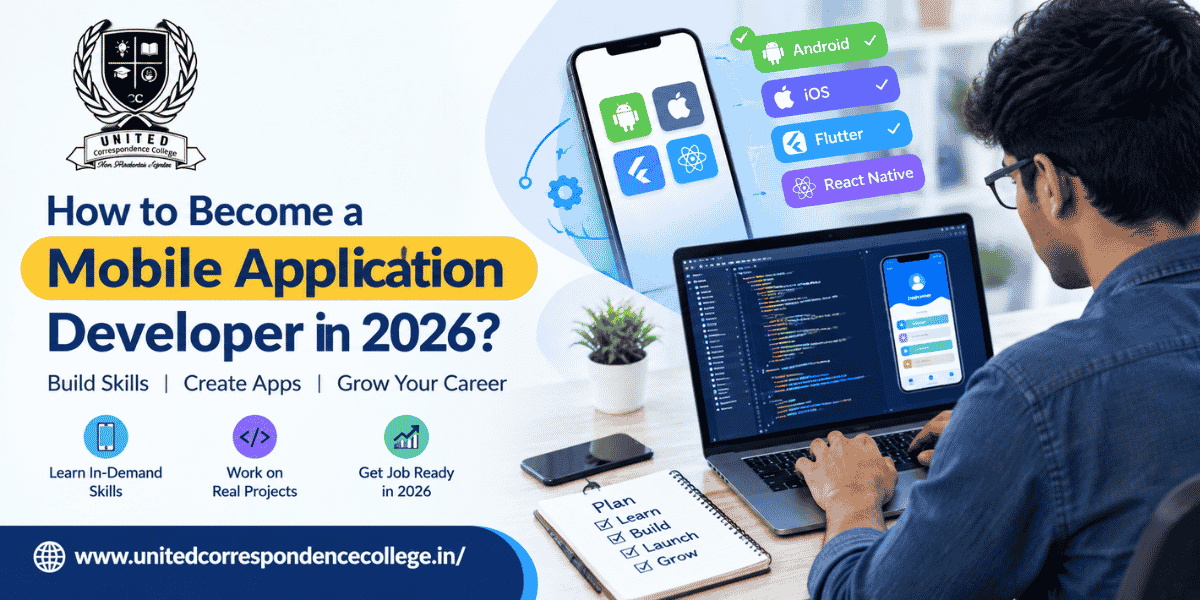
Every time you order food, book a cab, attend an online class, transfer money, or connect with friends, you are probably using a mobile application. Behind these everyday experiences are developers who turn ideas into functional, secure, and easy-to-use apps. If you enjoy technology, problem-solving, and creating digital products, becoming a Mobile Application Developer can be an interesting career direction in 2026.
The journey does not begin with learning ten programming languages at once. It starts with understanding how applications work, choosing a development path, learning programming fundamentals, and gradually building real projects. Whether you are a student, a graduate, or someone planning a career change, a structured approach can make the learning process much easier.
This guide explains How to Become a Mobile Application Developer in 2026, including the skills, education options, development tools, projects, and career preparation you can consider.
What Does a Mobile Application Developer Do?
A Mobile Application Developer creates and maintains applications designed for smartphones and tablets. Their work can begin with understanding an app idea and continue through coding, testing, debugging, publishing, and future updates.
A typical Mobile Application Developer may work on:
- Designing application screens and user interactions
- Writing and maintaining application code
- Connecting apps with APIs and databases
- Testing applications on different devices
- Fixing bugs and performance issues
- Adding new features
- Improving application security
- Working with designers, backend developers, and product teams
- Updating applications based on user feedback
The role is broader than simply writing code. A good Mobile Application Developer also needs to understand what users need and how an application should behave in real situations.
Why Mobile App Development Is Changing in 2026
Mobile development continues to evolve as applications become more connected with cloud services, artificial intelligence, automation, payments, location services, and other technologies.
For someone planning a career as a Mobile Application Developer, this means the learning path is also changing. Knowing only basic screen design is not enough. Developers increasingly need to understand APIs, databases, application architecture, testing, security, and modern development frameworks.
Current Android documentation describes Android as Kotlin-first and recommends Kotlin for new Android development. Apple’s current learning resources similarly teach app development through Swift, SwiftUI and Xcode.
So, rather than trying to learn everything, beginners should build their knowledge step by step. Students exploring correspondence colleges in Bangalore can also consider how their chosen course supports their long-term goals in mobile application development.
Step 1: Understand the Different Mobile Development Paths
Before choosing a programming language, understand where you want to build applications.
There are three common directions:
Android Development
Android development is a popular starting point for learners interested in building applications for Android devices. Kotlin is the recommended language for modern Android development, and Android Studio provides the main development environment.
iOS Development
If you want to create applications for Apple platforms, Swift is an important language to learn. Apple provides learning resources covering Swift, SwiftUI, app design, data modeling, development, testing, and distribution.
Cross-Platform Development
Cross-platform development allows developers to create applications targeting more than one platform using technologies such as Flutter or React Native.
There is no single path that every Mobile Application Developer must follow. Your choice can depend on your career goals, interests, existing skills, and the type of applications you want to build.
Simple Comparison of Mobile Development Paths
| Path | Common Technologies | Main Focus |
| Android | Kotlin, Android Studio | Android apps |
| iOS | Swift, SwiftUI, Xcode | Apple apps |
| Cross-platform | Flutter, React Native | Multiple platforms |
Step 2: Learn Programming Fundamentals
A common mistake beginners make is jumping directly into a framework without understanding programming.
Before becoming a Mobile Application Developer, learn concepts such as:
- Variables and data types
- Conditional statements
- Loops
- Functions
- Classes and objects
- Arrays and collections
- Error handling
- Basic algorithms
- Data structures
- Object-oriented programming
These concepts help you understand why code behaves in a particular way.
For example, if your application needs to calculate a user’s monthly expenses, display a list of transactions, or validate a login form, programming fundamentals help you build the underlying logic rather than simply copying code from somewhere else.
Step 3: Pick One Language and Go Deep
Once you understand the basics, choose a language according to your development direction.
For Android, Kotlin is a natural starting point because Android’s official documentation follows a Kotlin-first approach. For iOS development, Swift is Apple’s programming language for its platforms.
A beginner Mobile Application Developer does not need to master Kotlin, Swift, JavaScript, Dart, Java, and several frameworks simultaneously.
Start with one language.
Learn how it handles:
- Variables
- Functions
- Classes
- Collections
- Interfaces
- Error handling
- Asynchronous programming
- APIs
- Basic testing
Once you become comfortable with one programming environment, learning another becomes easier.
Step 4: Learn How an App Works Behind the Screen
An application may look simple to the user, but several components can work together behind it.
A basic mobile application can involve:
User Interface → Application Logic → API → Database → Server → Response
For example, when a user opens a food-ordering application, the app may request restaurant information from a server. The server processes that request and sends information back to the application.
This is why a Mobile Application Developer should understand more than the visible interface.
You should gradually learn:
- REST APIs
- JSON
- Authentication
- Databases
- Local storage
- Networking
- Cloud services
- Application architecture
These skills can help you create applications that actually perform useful tasks rather than simple demonstration screens.
Step 5: Learn Modern Mobile Development Tools
Tools are an important part of professional development.
For Android, Android Studio is a major development environment, while Kotlin and Jetpack technologies form an important part of the modern Android ecosystem.
For Apple platforms, Xcode provides tools for creating, testing, debugging, and distributing applications.
A beginner should become comfortable with:
- Android Studio or Xcode
- Code editors
- Git and GitHub
- Debugging tools
- API testing tools
- Emulator or simulator
- Database tools
- App testing tools
You do not need to master every tool immediately. Learn the tools that support the development path you have selected.
Step 6: Develop the Skills Employers Expect
Technical knowledge is only one part of becoming a successful Mobile Application Developer.
You should also develop problem-solving and communication skills.
Important Technical Skills
- Programming
- Mobile UI development
- API integration
- Database management
- Debugging
- Testing
- Version control
- Application security
- Performance optimization
- App deployment
Important Professional Skills
- Problem-solving
- Logical thinking
- Communication
- Teamwork
- Time management
- Understanding user requirements
- Attention to detail
Modern Android-focused career resources also commonly highlight Kotlin, Jetpack, Compose, testing, Git, APIs, architecture, and debugging as useful areas for developers preparing for current roles.
Step 7: Build Projects Instead of Only Watching Tutorials
This is where your learning starts becoming practical.
A beginner Mobile Application Developer should build projects regularly instead of spending months only watching tutorials.
Start with something simple, such as:
- Calculator application
- To-do list
- Notes application
- Weather application
- Expense tracker
- Quiz application
Once you gain confidence, move toward larger projects such as:
- Food delivery application
- E-learning application
- Fitness tracker
- Appointment booking application
- Shopping application
- Travel planner
Each project should teach you something new.
For example, a simple calculator can teach UI and logic. An expense tracker can introduce data storage. A weather application can teach API integration. A login-based application can introduce authentication.
This gradual increase in complexity is one of the most practical ways to grow as a Mobile Application Developer.
Step 8: Create a Portfolio That Shows What You Can Build
A resume can tell employers what you studied, but a portfolio can demonstrate what you can actually create.
Your portfolio can include:
- Project name
- Purpose of the application
- Technologies used
- Screenshots
- Key features
- Challenges you faced
- How you solved them
- GitHub repository
- Demo link, where available
A strong portfolio does not have to contain twenty applications.
Three or four well-developed projects can give you useful material for discussing your technical decisions during interviews.
Step 9: Consider the Right Education Route
Formal education can provide a structured foundation in programming, databases, software development, computer networks, and related subjects.
Students interested in this field may explore programs such as:
- BCA
- B.Sc. Computer Science
- B.Tech or BE in Computer Science
- MCA
- Relevant diploma or certification programs
For learners who need flexible study options, BCA distance education can be one route to explore. Those who already have a bachelor’s degree may also research MCA distance education in Bangalore and compare eligibility, curriculum, learning format, and recognition before enrolling.
Similarly, students researching IT distance education or Engineering correspondence college in Bangalore should first understand the course structure and whether the program matches their intended career path.
When comparing correspondence colleges in Bangalore, look beyond the course name. Check the curriculum, academic support, admission requirements, recognition, examination process, and learning resources.
For learners looking for flexible academic options, UCC can also be explored alongside other relevant education choices.
Step 10: Follow a Practical Learning Roadmap
You do not have to learn everything in one month. A simple roadmap can keep your progress organized.
| Stage | What to Learn | What to Build |
| 1 | Programming basics | Small coding exercises |
| 2 | Kotlin/Swift or chosen technology | Simple mobile app |
| 3 | UI development | Multi-screen app |
| 4 | APIs and databases | Data-driven app |
| 5 | Testing and debugging | Improved version |
| 6 | Git and portfolio | Documented projects |
| 7 | Interview preparation | Job-ready portfolio |
This approach gives a beginner Mobile Application Developer a clear direction without making the learning process unnecessarily complicated.
How AI Is Influencing Mobile App Development in 2026?
Artificial intelligence is becoming part of modern software development workflows.
Developers can use AI-assisted tools for tasks such as:
- Generating code suggestions
- Explaining unfamiliar code
- Finding possible bugs
- Creating documentation
- Supporting testing
- Brainstorming application features
- Speeding up repetitive development tasks
Apple’s current developer documentation also references coding intelligence as part of its development tooling.
However, AI does not remove the need to understand programming. A Mobile Application Developer still needs to review generated code, understand application architecture, identify security problems, test functionality, and make technical decisions.
Think of AI as a development assistant rather than a replacement for foundational knowledge.
Common Mistakes Beginners Should Avoid
Many learners lose momentum because they try to learn too much at the same time.
Avoid these common mistakes:
Learning Multiple Languages Together
Start with one language and build confidence before adding another.
Copying Code Without Understanding It
Code that works today may become difficult to debug tomorrow if you do not understand how it works.
Ignoring Projects
Courses can teach concepts, but projects help you apply them.
Skipping Git
Version control is useful for managing projects and collaborating with other developers.
Ignoring Testing
An app that works on your phone may still have problems on other devices or under different conditions.
Focusing Only on Certificates
Certificates can support your learning journey, but practical skills and demonstrable projects are also important.
What Qualifications Do You Need?
There is no single academic qualification that applies to every Mobile Application Developer role.
Employers may consider a combination of:
- Academic background
- Programming knowledge
- Development skills
- Projects
- Internship experience
- Portfolio
- Problem-solving ability
- Interview performance
A computer-related degree can provide a structured technical foundation, while additional self-learning and project work can help develop specialized mobile development skills.
Students exploring BCA distance education can therefore consider how the curriculum supports their broader software-development goals.
How to Prepare for Your First Mobile Developer Interview
Once you have built a few applications, begin preparing for interviews.
Revise:
- Programming fundamentals
- Object-oriented programming
- Data structures
- APIs
- Databases
- Mobile application architecture
- Debugging
- Git
- Testing
Be ready to explain your projects clearly.
A useful way to prepare is to answer four questions for every project:
What did I build?
Why did I build it?
What technical problem did I face?
How did I solve it?
Being able to explain your own work clearly can make technical interviews much easier to handle.
Career Opportunities After Learning Mobile App Development
After developing the required skills, learners can explore different roles depending on their specialization.
Possible job titles include:
- Android Developer
- iOS Developer
- Flutter Developer
- React Native Developer
- Mobile App Developer
- Junior Software Developer
- Application Developer
- Mobile UI Developer
A Mobile Application Developer may work in product companies, IT organizations, startups, digital businesses, financial services, education technology, healthcare technology, e-commerce, or other industries that use mobile applications.
The exact responsibilities will depend on the company and technology stack.
Final Roadmap to Become a Mobile Application Developer
The path becomes much clearer when you look at it as a series of manageable steps:
Learn Programming → Choose a Platform → Learn the Development Tools → Build Small Apps → Learn APIs and Databases → Build Real Projects → Create a Portfolio → Improve Your Technical Skills → Prepare for Interviews → Apply for Relevant Roles
The biggest advantage of this approach is that you do not have to know everything on day one.
Start with programming. Build something small. Make mistakes. Fix them. Build something slightly more complex. Continue learning.
That is how a beginner gradually develops into a confident Mobile Application Developer.
Conclusion
Learning mobile development in 2026 is about more than memorizing programming syntax. A successful Mobile Application Developer needs a combination of programming fundamentals, platform knowledge, practical development experience, problem-solving ability, testing skills, and an understanding of how applications work from the front end to the backend.
Whether you choose Android, iOS, or cross-platform development, focus on building one strong foundation before expanding into additional technologies. Current Android resources emphasize Kotlin, while Apple’s learning ecosystem focuses on Swift, SwiftUI, Xcode, development, testing, and distribution.
For learners who also want a structured academic foundation, exploring options such as IT correspondence college in Bangalore, BCA distance education, or relevant postgraduate programs can be part of the overall learning journey. UCC can be considered as one of the education options when researching flexible learning pathways.
The goal is not simply to call yourself a Mobile Application Developer. The real goal is to gain enough knowledge and practical experience to build applications that solve genuine user problems.
FAQs
1. How can I become a Mobile Application Developer in 2026?
Start by learning programming fundamentals, choose Android, iOS, or cross-platform development, learn the relevant tools, build practical applications, create a portfolio, and prepare for technical interviews.
2. Which programming language should I learn for Android development?
Kotlin is the recommended starting language for modern Android development. Android’s official documentation follows a Kotlin-first approach.
3. What language is used for iOS app development?
Swift is Apple’s modern programming language for developing applications across its platforms. Apple also provides learning resources based around SwiftUI and Xcode.
4. What skills does a Mobile Application Developer need?
Important skills include programming, UI development, APIs, databases, debugging, testing, version control, application security, problem-solving, and communication.
5. How many projects should I build before applying for jobs?
There is no fixed number. Instead of focusing only on quantity, build a few meaningful projects that demonstrate different skills and make sure you can explain how each project works.
Build Your Technology Foundation With UCC
Ready to build your foundation for a technology-focused career? Explore suitable programs with United Correspondence College and develop your academic knowledge alongside practical digital skills. Choose a learning path that fits your goals, build real projects, and take steady steps toward your future in application development.