
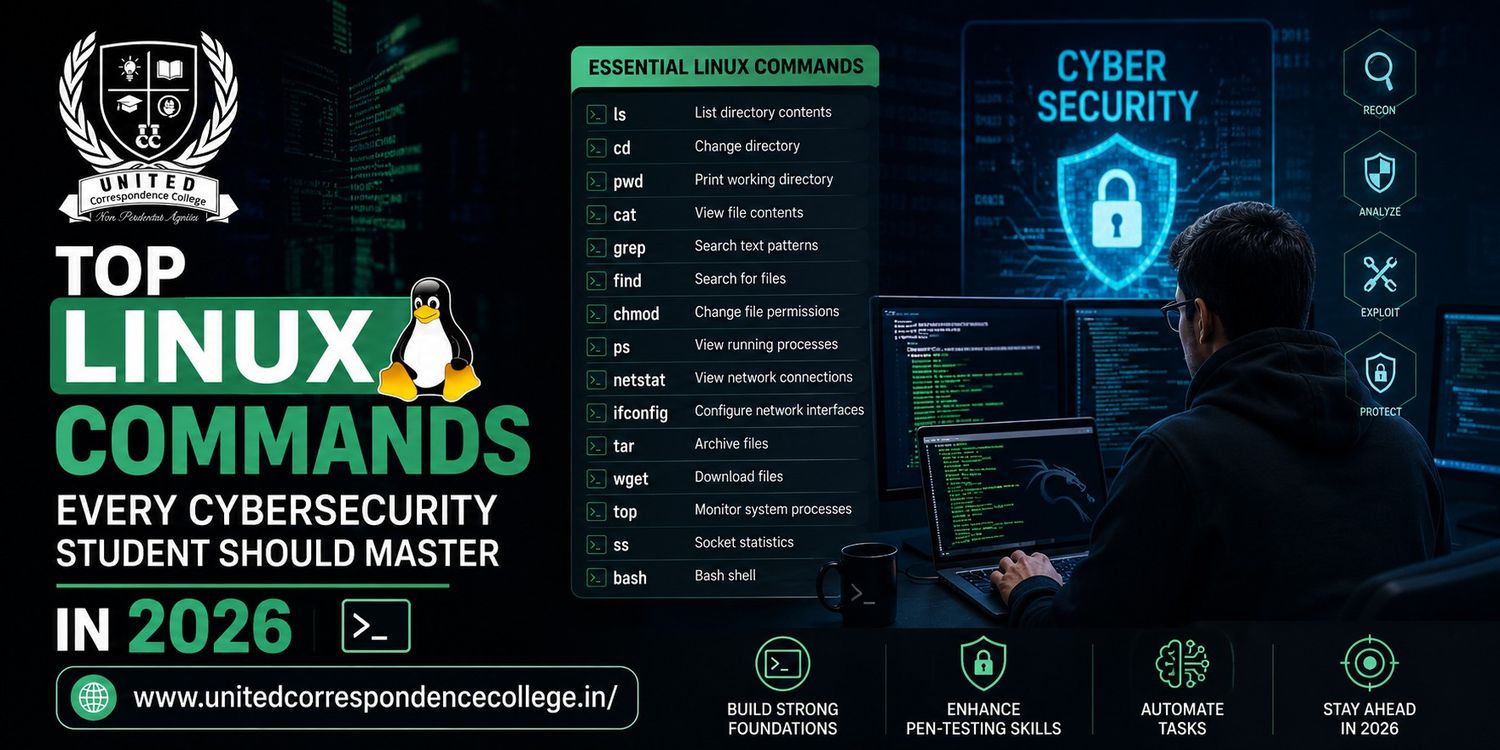
Linux Commands for Cybersecurity are among the first technical skills every aspiring cybersecurity professional should master in 2026. From ethical hacking and penetration testing to digital forensics and Security Operations Center (SOC) monitoring, Linux plays a critical role in modern cybersecurity environments. Most security tools, including Kali Linux, Metasploit, Nmap, Wireshark, and Burp Suite, run efficiently on Linux systems. Learning Linux Commands for Cybersecurity not only improves your technical knowledge but also strengthens your problem-solving abilities and prepares you for real-world security challenges. In this guide, you’ll discover the essential Linux commands every cybersecurity student should know before starting a successful career.
Why Linux Is Essential for Cybersecurity?
Linux is the preferred operating system for ethical hackers, penetration testers, system administrators, and cybersecurity professionals worldwide. Unlike many operating systems, Linux offers flexibility, strong security, open-source customization, and powerful command-line tools that make security testing more efficient.
Almost every cybersecurity domain depends on Linux in some way, including:
- Ethical Hacking
- Penetration Testing
- Digital Forensics
- Malware Analysis
- Cloud Security
- Network Monitoring
- Security Automation
- Incident Response
Learning Linux Commands for Cybersecurity helps students understand how operating systems work while giving them complete control over files, processes, permissions, and networks.
Why Recruiters Value Linux Skills?
Companies hiring cybersecurity professionals often expect candidates to have practical Linux knowledge. Many interview questions revolve around terminal commands, networking, user permissions, and troubleshooting.
Recruiters typically assess whether candidates can:
- Navigate the Linux terminal
- Manage files securely
- Analyze system logs
- Configure permissions
- Monitor processes
- Troubleshoot networking issues
- Use command-line security tools
Mastering Linux Commands for Cybersecurity demonstrates technical confidence and practical experience, making candidates more attractive to employers.
Students pursuing IT correspondence college in Bangalore programs can strengthen their cybersecurity profiles by combining academic learning with daily Linux command practice and hands-on security labs.
Benefits of Learning Linux Commands
| Benefit | Career Advantage |
| Command-Line Skills | Faster system administration |
| Better Security Knowledge | Stronger ethical hacking foundation |
| Process Monitoring | Easier incident response |
| File Management | Improved forensic analysis |
| Network Troubleshooting | Better cybersecurity skills |
| Automation | Increased productivity |
Linux Commands for Cybersecurity Every Beginner Should Learn
Before exploring advanced hacking tools, every student should become comfortable using the Linux terminal. These commands form the foundation of daily cybersecurity tasks.
1. pwd – Print Working Directory
The pwd command displays your current location within the Linux file system.
Example:
pwd
Output:
/home/student/Documents
Cybersecurity professionals frequently use this command while navigating large directory structures during penetration testing or forensic investigations.
Understanding where you are in the system prevents accidental modification of sensitive files.
The Linux Commands for Cybersecurity journey always begins with learning navigation commands like pwd.
2. ls – List Files and Directories
The ls command displays all files and folders within the current directory.
Example:
ls
Useful options include:
ls -l
Shows detailed file information.
ls -la
Displays hidden files and directories.
Hidden files often contain important system configurations, SSH keys, or application settings that cybersecurity professionals regularly inspect.
3. cd – Change Directory
The cd command allows users to move between folders.
Example:
cd Documents
Return to the previous directory:
cd ..
Go directly to the home folder:
cd ~
Efficient navigation saves valuable time during security assessments and server administration.
Students beginning BCA distance education programs can improve their Linux proficiency by practicing directory navigation every day alongside programming and networking concepts.
4. mkdir – Create New Directory
This command creates a new folder.
Example:
mkdir CyberLab
Students often organize:
- Penetration testing notes
- Scripts
- Reports
- Log files
- Practice projects
A well-organized workspace improves productivity and simplifies project management.
5. rm – Remove Files
The rm command deletes files.
Example:
rm file.txt
Delete directories:
rm -r FolderName
Cybersecurity professionals should use this command carefully because deleted files may not be recoverable without specialized forensic tools.
Always verify file names before using rm.
6. cp – Copy Files
Copying files is essential when creating backups before editing configurations.
Example:
cp report.txt backup.txt
Copy folders:
cp -r Project Backup
Creating backups before modifying system files is considered a cybersecurity best practice.
The Linux Commands for Cybersecurity toolkit always includes reliable backup habits.
7. mv – Move or Rename Files
The mv command serves two purposes.
Move a file:
mv report.txt Documents/
Rename a file:
mv report.txt final_report.txt
Security analysts frequently organize investigation reports and log files using this command.
8. cat – Display File Contents
The cat command quickly displays text file contents.
Example:
cat notes.txt
Cybersecurity professionals use it to inspect:
- Configuration files
- Log files
- Scripts
- Password policies
It provides a fast method for reading files without opening a text editor.
9. grep – Search Text Inside Files
One of the most powerful Linux Commands for Cybersecurity is grep. It helps security professionals search for specific words, patterns, IP addresses, usernames, or error messages inside files and logs.
Example:
grep “failed” auth.log
Search without considering uppercase or lowercase:
grep -i “error” system.log
Search recursively inside folders:
grep -r “admin” /home/student
Cybersecurity professionals use grep to:
- Analyze authentication logs
- Find suspicious login attempts
- Search malware signatures
- Identify failed SSH logins
- Monitor application logs
10. find – Locate Files
Cybersecurity professionals often need to locate scripts, log files, malware samples, or configuration files.
Example:
find /home -name report.txt
Find all log files:
find /var -name “*.log”
Find files modified in the last seven days:
find /home -mtime -7
The find command is essential for digital investigations and forensic analysis.
11. chmod – Change File Permissions
Permissions determine who can read, write, or execute files.
Example:
chmod 755 script.sh
Give execute permission:
chmod +x scanner.sh
Cybersecurity professionals constantly modify permissions to secure systems and protect sensitive files.
Understanding file permissions is one of the core Linux Commands for Cybersecurity concepts.
12. chown – Change File Ownership
The chown command changes ownership of files or directories.
Example:
chown student report.txt
Change owner and group:
chown student:security report.txt
Proper ownership prevents unauthorized users from accessing confidential information.
13. ps – View Running Processes
The ps command displays active processes running on the system.
Example:
ps
Display all processes:
ps -aux
Security analysts frequently inspect processes to identify suspicious or malicious applications running in memory.
14. top – Monitor System Resources
The top command provides real-time monitoring of:
- CPU usage
- Memory usage
- Running processes
- System load
Example:
top
This command is valuable during incident response because malware often consumes unusual system resources.
Students pursuing IT distance education can practice process monitoring to better understand Linux performance and system security.
15. kill – Stop Processes
Sometimes suspicious or malfunctioning processes need to be terminated.
Example:
kill 2456
Force stop:
kill -9 2456
Cybersecurity teams use this command to stop malicious programs or unstable services.
16. ping – Test Network Connectivity
The ping command checks communication between systems.
Example:
ping google.com
Security professionals use ping to:
- Verify network availability
- Troubleshoot connectivity
- Test remote hosts
It is one of the simplest yet most useful Linux Commands for Cybersecurity.
17. ip – Display Network Configuration
Modern Linux systems use the ip command instead of ifconfig.
Example:
ip addr
View routing table:
ip route
This command helps professionals inspect IP addresses, interfaces, and network routes.
18. netstat – View Network Connections
The netstat command displays:
- Open ports
- Active connections
- Listening services
- Routing information
Example:
netstat -tuln
Security analysts frequently use it to detect unauthorized services running on servers.
Students enrolled in MCA distance education in Bangalore can strengthen their networking knowledge by practicing commands like netstat, ip, and ping while studying cybersecurity concepts.
19. ssh – Secure Remote Login
The ssh command securely connects to remote Linux systems.
Example:
ssh user@192.168.1.10
SSH is widely used for:
- Server management
- Cloud administration
- Penetration testing
- Remote troubleshooting
Secure remote access is a fundamental cybersecurity skill.
20. sudo – Execute Administrative Commands
Many Linux tasks require administrator privileges.
Example:
sudo apt update
Cybersecurity professionals use sudo carefully because administrator access allows major system changes.
Misusing elevated privileges can unintentionally damage system configurations.
Why Practice These Commands Daily?
Cybersecurity professionals spend a significant portion of their work inside Linux terminals rather than graphical interfaces. Daily practice builds speed, confidence, and familiarity with system administration tasks.
Some simple ways to improve include:
- Create folders and organize files.
- Navigate different directories.
- Read configuration files.
- Copy and rename project files.
- Delete unnecessary practice files safely.
- Explore hidden directories using ls -la.
Developing these habits early makes advanced ethical hacking and penetration testing much easier.
Students pursuing bca distance education in bangalore can strengthen their practical cybersecurity knowledge by practicing these basic Linux commands alongside networking and programming exercises.
Linux Commands Grep
The grep command deserves special attention because it is widely used during cybersecurity investigations.
Why Grep Matters?
Imagine a server log containing thousands of lines. Reading everything manually would take hours. Instead, grep filters only the information you need.
Examples:
Find IP addresses:
grep “192.168” access.log
Find unsuccessful login attempts:
grep “Failed password” auth.log
Find administrator activity:
grep “root” secure.log
Using grep effectively allows security analysts to identify suspicious activities quickly during incident response and digital forensics.
Among all Linux Commands for Cybersecurity, grep remains one of the most frequently used commands.
Linux Commands Basic
Before moving into advanced penetration testing, every cybersecurity student should become comfortable with basic Linux commands. These commands form the foundation for managing files, users, processes, permissions, and networking.
Practice these Linux Commands Basic every day:
- pwd
- ls
- cd
- mkdir
- cp
- mv
- rm
- cat
- grep
- find
- chmod
- chown
- ps
- top
- kill
- ping
- ip
- netstat
- ssh
- sudo
The more frequently you use these commands, the faster they become second nature. Strong command-line skills also make learning advanced cybersecurity tools much easier.
Students pursuing distance education in Bangalore can dedicate a small amount of time each day to practicing these commands in a virtual Linux environment, helping them build confidence before working with professional cybersecurity tools.
Essential Linux Commands and Their Uses
| Linux Command | Purpose | Cybersecurity Use |
| pwd | Show current directory | File navigation |
| ls | List files | Directory analysis |
| grep | Search text | Log analysis |
| find | Locate files | Digital forensics |
| chmod | Change permissions | File security |
| ssh | Remote access | Server administration |
| ping | Test connectivity | Network troubleshooting |
| ps | View processes | Malware detection |
| top | Monitor resources | Incident response |
| netstat | View connections | Network monitoring |
Linux Basics For Hackers
Before learning advanced penetration testing tools, every cybersecurity student should understand how Linux works. Most ethical hacking distributions, including Kali Linux and Parrot OS, are Linux-based. Knowing the Linux Commands for Cybersecurity allows students to navigate systems, analyze logs, manage permissions, and troubleshoot issues efficiently.
Hackers and cybersecurity professionals rely on Linux because it is:
- Open source
- Highly secure
- Lightweight
- Customizable
- Command-line focused
- Supported by thousands of security tools
Mastering Linux fundamentals provides a strong foundation for ethical hacking, digital forensics, malware analysis, and incident response.
How Ethical Hackers Use Linux Commands?
Cybersecurity professionals perform numerous daily tasks using Linux commands. Understanding these workflows helps students connect theoretical knowledge with practical applications.
System Enumeration
Before testing a system, ethical hackers gather information such as:
- Current user
- System version
- Running services
- Installed software
- Active processes
Commands frequently used include:
- whoami
- hostname
- uname
- ps
- top
These commands provide valuable system details before conducting any security assessment.
Network Investigation
Analyzing network activity is one of the most important cybersecurity tasks.
Professionals use commands like:
- ping
- ip
- netstat
- ssh
These commands help identify:
- Active devices
- Network connectivity
- Open ports
- Remote servers
- Suspicious connections
Strong networking knowledge combined with Linux Commands for Cybersecurity significantly improves troubleshooting and security monitoring skills.
File and Permission Auditing
One of the biggest causes of security breaches is improper file permissions.
Cybersecurity professionals regularly inspect:
- Sensitive directories
- Configuration files
- User permissions
- Executable scripts
Commands commonly used include:
- ls -la
- chmod
- chown
- find
Permission auditing helps prevent unauthorized access and protects confidential information.
Students pursuing BCA distance education can strengthen their cybersecurity fundamentals by practicing file management and permission commands in Linux virtual machines.
Log Analysis
Every security investigation involves reviewing system logs.
Professionals use commands such as:
- cat
- grep
- find
These commands help locate:
- Failed login attempts
- Unauthorized access
- Configuration changes
- Security alerts
- Error messages
Learning log analysis is one of the most practical applications of Linux Commands for Cybersecurity.
Common Mistakes Beginners Should Avoid
Learning Linux becomes much easier when students avoid common mistakes that often lead to system errors.
Using rm Without Verification
Deleting files without checking the file path can permanently remove important data.
Always verify:
- File name
- Directory
- Permissions
before executing deletion commands.
Overusing sudo
Many beginners run every command using administrator privileges.
This increases the risk of:
- Accidental file deletion
- System configuration errors
- Security vulnerabilities
Use administrator access only when necessary.
Ignoring File Permissions
Incorrect permissions may expose confidential files or allow unauthorized modifications.
Always understand the purpose of:
- Read permission
- Write permission
- Execute permission
before changing security settings.
Memorizing Commands Without Practice
Simply reading Linux commands is not enough.
Students should:
- Create practice folders
- Build mini projects
- Analyze sample log files
- Configure user permissions
- Practice networking commands
Regular hands-on experience makes Linux skills second nature.
Best Platforms to Practice Linux Commands
The fastest way to improve Linux skills is through practical exercises.
Recommended platforms include:
Kali Linux
The most popular operating system for ethical hacking and penetration testing.
Ubuntu
Excellent for beginners learning Linux fundamentals.
TryHackMe
Provides guided cybersecurity labs covering Linux, networking, and ethical hacking.
Hack The Box
Offers advanced penetration testing environments for practical experience.
OverTheWire
Gamified Linux challenges designed specifically for beginners.
Linux Journey
A structured learning platform covering Linux commands from basic to advanced levels.
Students enrolled in IT distance education can use these platforms alongside their coursework to gain practical cybersecurity experience from home.
Career Opportunities After Learning Linux
Linux expertise is a valuable skill across almost every cybersecurity domain. Employers actively seek professionals who are comfortable working with Linux-based systems because many enterprise servers, cloud platforms, and security tools rely on Linux.
Career options include:
Security Operations Center (SOC) Analyst
Monitors networks, analyzes alerts, and responds to security incidents using Linux-based monitoring tools.
Ethical Hacker
Performs authorized penetration testing to identify and fix security vulnerabilities.
Penetration Tester
Uses Linux systems to simulate cyberattacks and evaluate organizational security.
Linux System Administrator
Manages Linux servers, user accounts, permissions, and system security.
Cloud Security Engineer
Secures Linux-based cloud infrastructure on AWS, Azure, and Google Cloud.
Digital Forensics Analyst
Investigates cyber incidents by analyzing Linux logs, files, and compromised systems.
DevSecOps Engineer
Integrates security practices into software development and deployment pipelines.
Students pursuing MCA distance education in Bangalore can significantly improve their career prospects by combining postgraduate education with Linux administration, cybersecurity certifications, and practical security labs.
Why Choose UCC for Your Cybersecurity Career?
A successful cybersecurity career requires both academic qualifications and practical technical skills. UCC (United Correspondence College) provides flexible education programs that help students balance learning with work and personal commitments while preparing for the fast-growing IT industry.
Whether you’re looking for an IT correspondence college in Bangalore, BCA distance education, or distance education in Bangalore, UCC offers recognized programs designed to support career growth in information technology and cybersecurity.
Beyond academic learning, UCC encourages students to strengthen their knowledge of Linux, networking, ethical hacking, cloud computing, and cybersecurity tools through continuous practical learning. By mastering Linux Commands for Cybersecurity alongside your degree, you can build a strong technical portfolio that improves internship opportunities, campus placements, and long-term career success.
Conclusion
Linux is the foundation of modern cybersecurity. From navigating the terminal and managing permissions to analyzing logs and troubleshooting networks, mastering Linux commands prepares students for real-world security responsibilities. The Linux Commands for Cybersecurity covered in this guide are essential for ethical hacking, penetration testing, digital forensics, cloud security, and incident response.
Start by practicing basic commands every day, gradually explore advanced security tools, and apply your knowledge through hands-on labs and projects. With consistency, curiosity, and practical experience, you’ll build the confidence and technical expertise needed to thrive in the cybersecurity industry.
Start Your Cybersecurity Journey with UCC
Cybersecurity professionals with strong Linux skills are in high demand across industries, and mastering Linux Commands for Cybersecurity is an excellent way to build a successful IT career. Alongside practical skills, earning a recognized degree can give you a competitive advantage in the job market.
At UCC (United Correspondence College), students can pursue flexible academic programs while preparing for careers in cybersecurity, networking, cloud computing, and software development. Whether you’re interested in IT correspondence college in bangalore, BCA distance education, or MCA distance education in bangalore, UCC offers learning opportunities that fit your personal and professional goals.
Start building your Linux skills today with UCC and prepare for a future-ready career in cybersecurity.
FAQs
1. Which Linux commands should every cybersecurity student learn first?
Every beginner should start with essential Linux Commands for Cybersecurity such as pwd, ls, cd, mkdir, cp, mv, rm, cat, grep, find, chmod, and ssh. These commands help students navigate the file system, manage permissions, inspect logs, and troubleshoot network issues. Once comfortable with these basics, learners can explore advanced commands used in penetration testing and system administration. Students pursuing BCA distance education can strengthen their practical cybersecurity knowledge by practicing these commands daily in a Linux virtual machine or cloud lab.
2. Why is Linux important for ethical hacking?
Linux is the preferred operating system for ethical hacking because most penetration testing tools, including Kali Linux, Metasploit, Burp Suite, and Aircrack-ng, are designed for Linux environments. Its command-line interface provides greater control, flexibility, and automation compared to many other operating systems. Linux also offers excellent security and customization features that professionals rely on during security assessments. Students studying through an IT correspondence college in bangalore can gain a solid cybersecurity foundation by learning Linux alongside networking, operating systems, and programming concepts.
3. Can beginners learn Linux commands without programming?
Yes. Beginners can start learning Linux commands without any prior programming experience. Basic commands focus on file navigation, directory management, permissions, and networking rather than coding. As students become more comfortable with Linux, they can gradually learn shell scripting and automation to improve efficiency. Hands-on practice is more important than memorizing commands. Students enrolled in IT distance education programs can comfortably learn Linux fundamentals alongside their coursework while gradually developing advanced technical skills.
4. Which Linux distribution is best for cybersecurity?
Kali Linux is widely regarded as the best Linux distribution for cybersecurity because it comes pre-installed with hundreds of penetration testing, digital forensics, and vulnerability assessment tools. Ubuntu is another excellent choice for beginners who want to learn Linux fundamentals before moving to advanced security environments. Parrot Security OS is also popular among ethical hackers. Students pursuing MCA distance education in bangalore can start with Ubuntu for basic Linux skills and later transition to Kali Linux as they advance in cybersecurity training.
5. How long does it take to learn Linux commands?
Most beginners can become comfortable with basic Linux commands within one to two months by practicing consistently for 30 to 60 minutes each day. Advanced skills such as shell scripting, server management, automation, and cybersecurity applications typically require several additional months of hands-on experience. The key to success is regular practice rather than memorization. Students pursuing distance education in bangalore can easily integrate Linux practice into their academic schedules while steadily building technical confidence and real-world problem-solving abilities.
6. Are Linux skills required for cybersecurity jobs?
Yes. Linux knowledge is considered a core requirement for many cybersecurity roles, including Security Analyst, SOC Analyst, Ethical Hacker, Penetration Tester, Digital Forensics Analyst, and Cloud Security Engineer. Many enterprise servers and security tools operate on Linux, making command-line proficiency an important workplace skill. Recruiters often expect candidates to understand Linux file systems, permissions, networking, and troubleshooting. Students pursuing bca distance education in bangalore can improve their employability by combining academic qualifications with strong Linux and cybersecurity skills.
7. Which cybersecurity certifications require Linux knowledge?
Several leading cybersecurity certifications assume or recommend Linux knowledge. These include CompTIA Security+, CompTIA Linux+, Certified Ethical Hacker (CEH), eJPT, Offensive Security Certified Professional (OSCP), Cisco CyberOps Associate, and Red Hat Certified System Administrator (RHCSA). Practical Linux experience makes certification preparation much easier because many exam objectives involve command-line tasks and system administration. Students pursuing BCA distance education can prepare more effectively for these certifications by regularly practicing Linux commands in virtual lab environments.
8. Is Linux better than Windows for cybersecurity?
Linux is generally preferred for cybersecurity because of its stability, security, open-source architecture, and extensive support for ethical hacking and penetration testing tools. While Windows remains important for enterprise environments, Linux offers greater flexibility for security testing, scripting, server management, and forensic investigations. Most cybersecurity professionals use both operating systems depending on their roles. Students studying through an IT correspondence college in Bangalore should gain experience with both platforms while developing stronger Linux skills for long-term career growth.